Blog 3 min read
Sound.me Now Works Inside ChatGPT and Claude
Connect ChatGPT, Claude or Cursor to your Sound.me account and plan, launch and track campaigns by asking. What it does and how you stay in control.
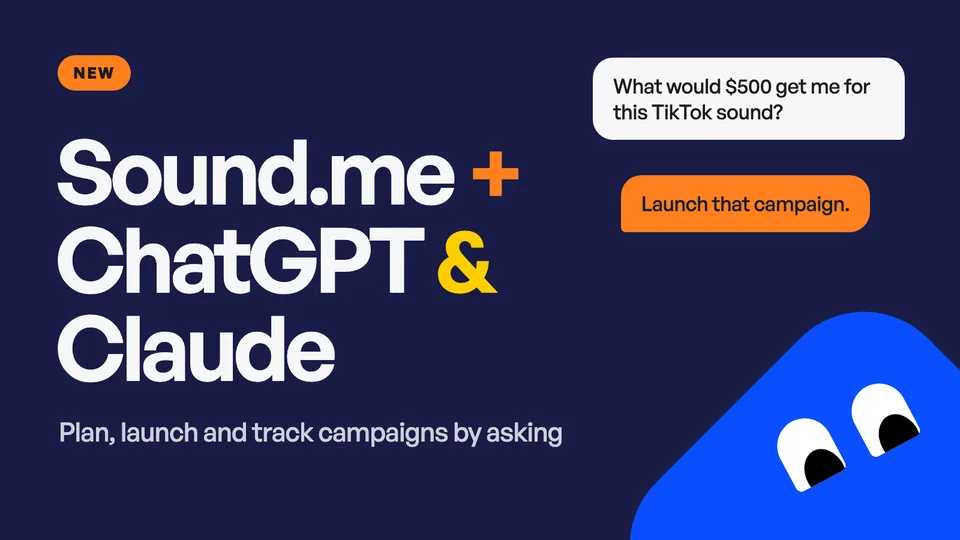
Sound.me now has an MCP server. You can connect ChatGPT, Claude or Cursor to your Sound.me account and plan, launch and track creator campaigns by asking in plain words.
What it is
MCP (Model Context Protocol) is the standard way assistants like ChatGPT and Claude connect to other services. Once yours is connected, it can look up a sound, estimate what a budget would deliver, launch a campaign and read your results. It works on one account, yours, and only after you sign in on Sound.me and approve the connection.
Planning a campaign is mostly questions: what a budget would deliver, which countries to target, how long to run. Now you can ask them where you already work, get the same projection the campaign builder shows, and launch when the answer looks right.
What you can ask
- Plan. "What would $500 get me for this TikTok sound?" Paste a link to your sound and ask what a budget would deliver.
- Launch. "Launch that campaign in the United States for 7 days." Tell it the budget, platform, countries and run time. For TikTok, also give it three creators whose style you like.
- Track. "How are my campaigns doing so far?" You get the running totals for each campaign: creators, videos, views, likes, comments and shares.
Nothing else about a campaign changes. Our team watches every video and makes sure creators follow your directions, the same as for a campaign you launch on the website.
How you stay in control
- You approve it first. Nothing is connected until you sign in on Sound.me and approve the connection.
- It spends within your limits. You set spending limits on the approval screen: per campaign, per day and per month. They start at $500 per campaign, $1,000 a day and $3,000 a month, and each connection has its own limits.
- It is told to ask before it buys. Your assistant is told to show you the exact amount and wait for your yes. A purchase cannot be canceled once it is placed, the same as at checkout.
- Your password stays with Sound.me. Your assistant never sees your password or your full card number. It can see your balance and which card is on file (brand and last four digits).
- You can disconnect at any time. Open Settings, Connected apps in your dashboard and revoke it. Access stops right away.
How to connect
Everything is on one page: sound.me/mcp. Pick your assistant and follow its steps.
- ChatGPT. Copy the Sound.me link, open Plugins in ChatGPT, press the plus button, choose Add custom MCP server, paste the link, confirm and sign in. About two minutes.
- Claude. Press Add to Claude, then Add and Connect, and sign in.
- Cursor. Press Add to Cursor, then Install, and sign in.
ChatGPT, Claude and Cursor are the ones we have tested. Any other assistant that accepts a remote MCP server with sign-in should work with the same link.
You need a Sound.me advertiser account. If you do not have one, you can create it while you connect. To buy, save a card in your dashboard first, because your assistant cannot take card details.
For developers
The Sound.me MCP server is a remote server over Streamable HTTP at https://mcp.soundme.com/mcp. Sign-in is OAuth 2.1 with dynamic client registration and PKCE, so a client needs no key or secret from us. Its tools are resolve_sound, estimate_campaign, create_campaign, list_campaigns, get_campaign and get_account.
Try it
Connect your assistant, paste a link to your sound and ask what your next campaign would deliver.
Keep reading: Is Sound.me legit? · Real campaign results · TikTok sound seeding
Keep reading
All posts → The Cheapest Ways to Get Creators Making Videos With Your Song, RankedFive routes ranked by cost per video, from free outreach to about 38 videos for $250 on a creator campaign.
 How to Run a TikTok Creator Campaign for a New SingleBrief, targeting, budget, approvals — and what a $500 campaign is projected to deliver (about 75 videos, 332K views).
 How to Get TikTok Creators to Use Your Song: A Record Label PlaybookFour ways labels get creators posting with a song, with real costs: $250 is projected at about 38 creator videos and 211K views.